Hotspot, Call Shop and Cyber Café Software : Smart Card Utility
This function, accessible from the Utility Menu, allows viewing the contents of a Smart Card and, if necessary, resetting it.
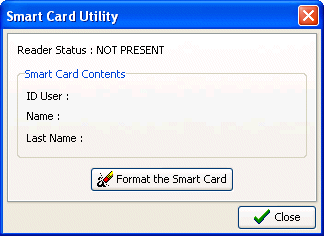
After the window opens, insert the Smart Card and the screen will display the principal user data, i.e., his internal program ID and first and last name. At this point, you can zero the Smart Card with the "Format Smart Card" button. This operation is necessary, for example, when a customer returns his Smart Card because he no longer intends to use it. After formatting, the card can be assigned to a new customer.
Softvision srl - Via Cesare Battisti, 101 - 67051 Avezzano (AQ) ITALY - P.IVA 01564100665 | Privacy Policy - Cookie Policy