Cyber Café Software, Hotspot Billing Software, Call Shop Software Logiciel pour Cybercafés, Logiciel pour Hotspot, Logiciel pour Call Shop Hotspot Software, Internetcafés Software, Cybercafés Software, Call Shop Software Software para Internet Café, Software para Hotspot, Software para Cibercafé y Call Shop Software per Internet Point, Hotspot WI-FI, Phone Center Programa para Cyber café, Programa para Internet café, Programa para Hotspot e de Call Shop
Cyber Café Software, Hotspot Billing Software, Call Shop Software Download Cyber Café Software, Download Hotspot Billing Software,Download  Call Shop Software alt= alt= Softvision Explorer Support Forum Contacts

Software for Cyber Café, Hotspot WI-FI, Call Shop


Hotspot, Call Shop and Cyber Café Software : Checkout Management
Explorer Manager offers a series of functions for complete checkout management. Each money operation (recharges, balances, renewals etc.) made by operators is automatically registered by the program. The data saved for each operation are: takings total, the date and time of cashing, the description of the operation and the operator who made the operation.

Before making a checkout transaction, the checkout must be open. It is normally manually opened by the operator on opening the premises. By enabling the relevant option, in the Various section of Preferences, you can also execute the automatic opening of the checkout for the first operation of the day.

When the premises closes, you must close the checkout and at the same time check the checkout content (balancing). This operation is made easier with the Checkout Analysis function.
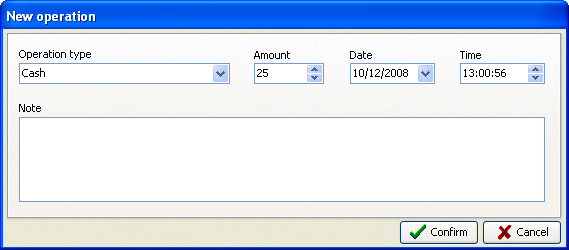


The Checkout menu, other than the aforementioned opening, closure and analysis operations, also hosts a function that allows you to manually enter checkout operations.

Software
Cyber cafè Hotspot Call Shop Manual Orders

Installation and Configuration
Internet Café Hostspot Call Shop

Hardware
Smart Card Reader Smart Card Electronic Coin Acceptors

Support
Support Update Bug Report Suggestions About Softvision Contact us

Resources


Softvision logo